Thermo King auxiliary power

Serious comfort.
Less idling.

Keep the sleeper cool and power your essentials while the tractor’s main engine is off. Choose a diesel or battery-electric TriPac system to fit your operation.

Cab comfortReduced engine idlingPower for the road
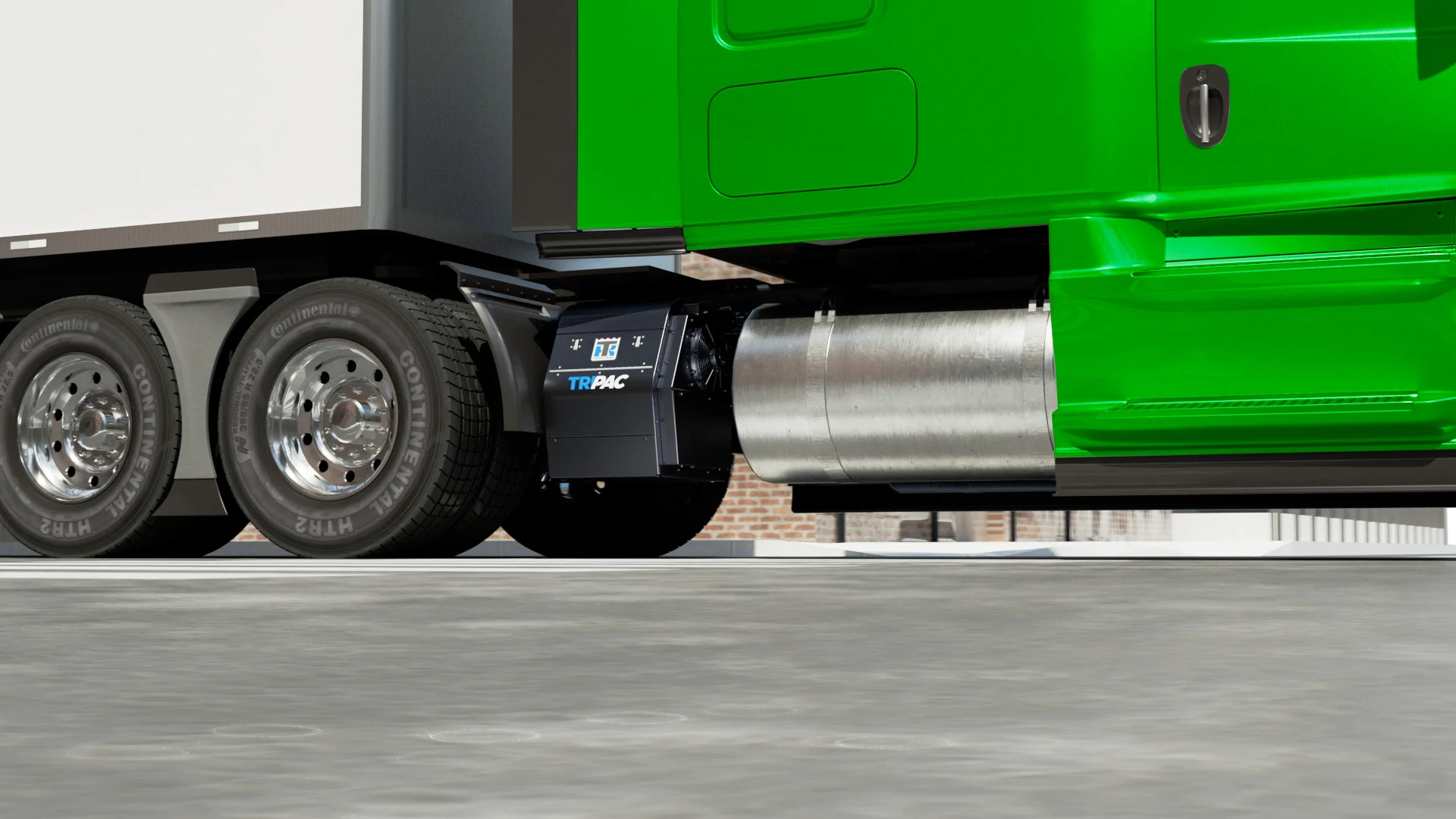
Thermo King TriPac 3 auxiliary power unit mounted behind the cab of a green sleeper truck
TriPac 3Comfort when the road takes a break.

Find your fit

Two ways to bring
comfort along.

Choose the power system that fits your routes, rest stops and the way your drivers live on the road.

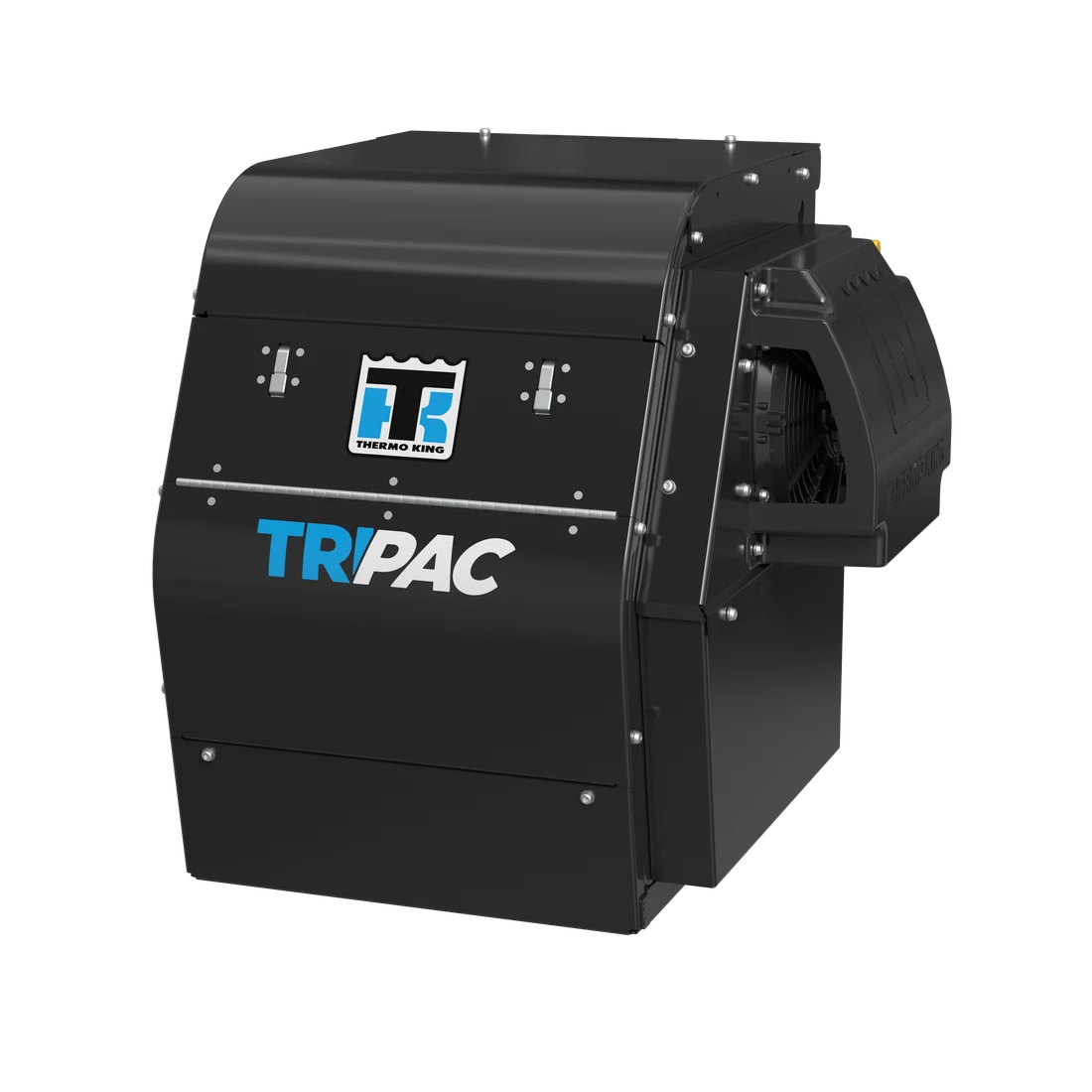
Thermo King 3rd Generation TriPac diesel auxiliary power unitDiesel APU

For long-haul comfort

TriPac3

A self-powered diesel APU that supplies cab cooling and battery charging while the tractor engine is off. Add the power and comfort options your driver needs.

13,000BTU/hr rated
cooling capacity
  • 120-amp APU alternator for battery charging
  • Color in-cab controller and TracKing telematics
  • Standard or aftertreatment-device configuration
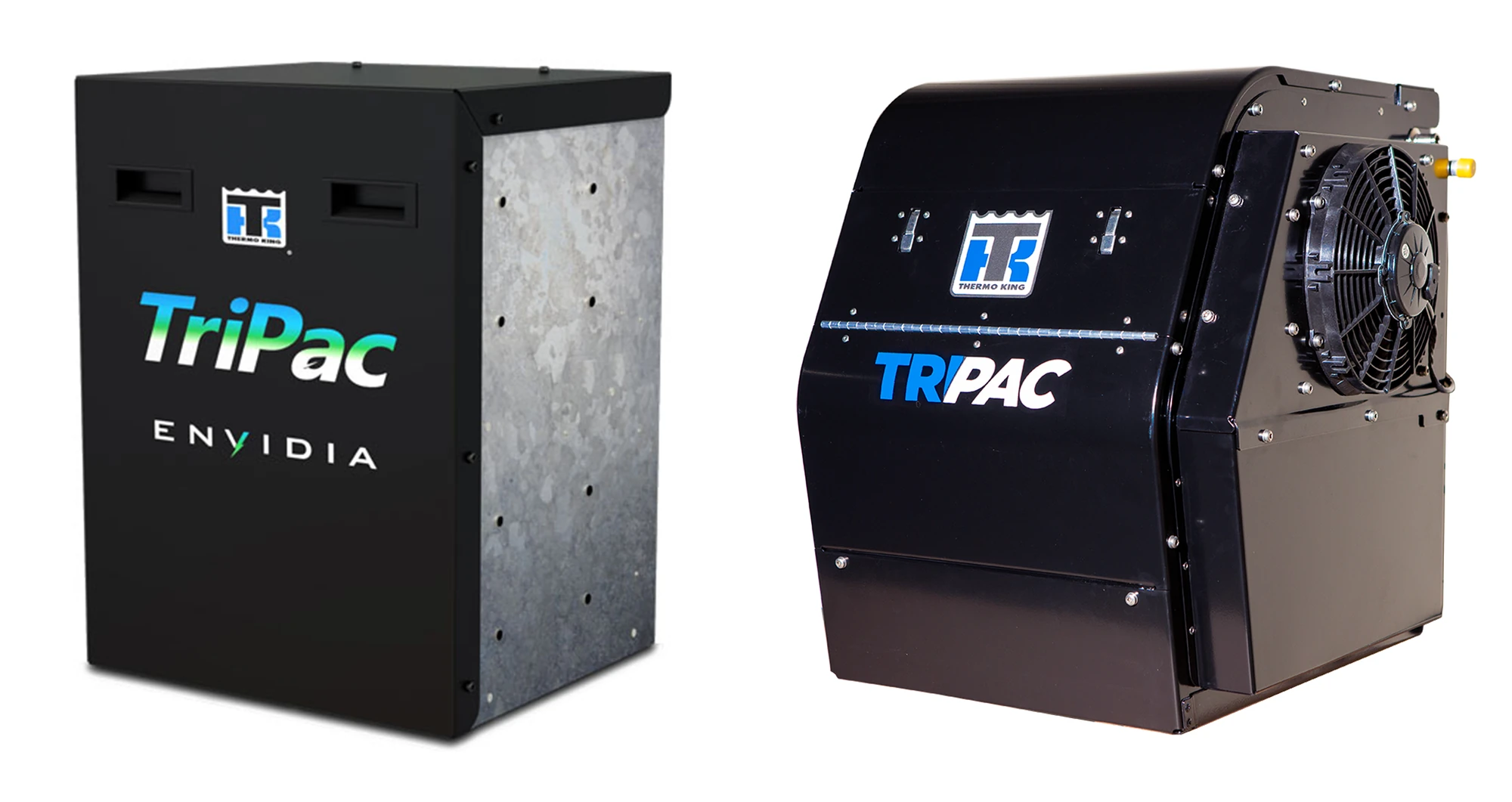
Thermo King TriPac Envidia battery box for an electric auxiliary power systemBattery-electric APU

Quiet, engine-off cooling

TriPac Envidia 2

A battery-powered APU for drivers who want cooling without a diesel APU engine. Consider battery capacity, tractor charging and available shore power when planning your stops.

8,000BTU/hr rated
cooling capacity
  • Dedicated battery box and in-cab controls
  • Minimum 270-amp tractor alternator specified
  • Available inverter, heater and shore-power options

Cooling capacities are manufacturer ratings under specified test conditions. Runtime and performance vary with weather, truck insulation, battery condition and use. The available Envidia heater is fuel-fired.

Read the Thermo King APU white paper
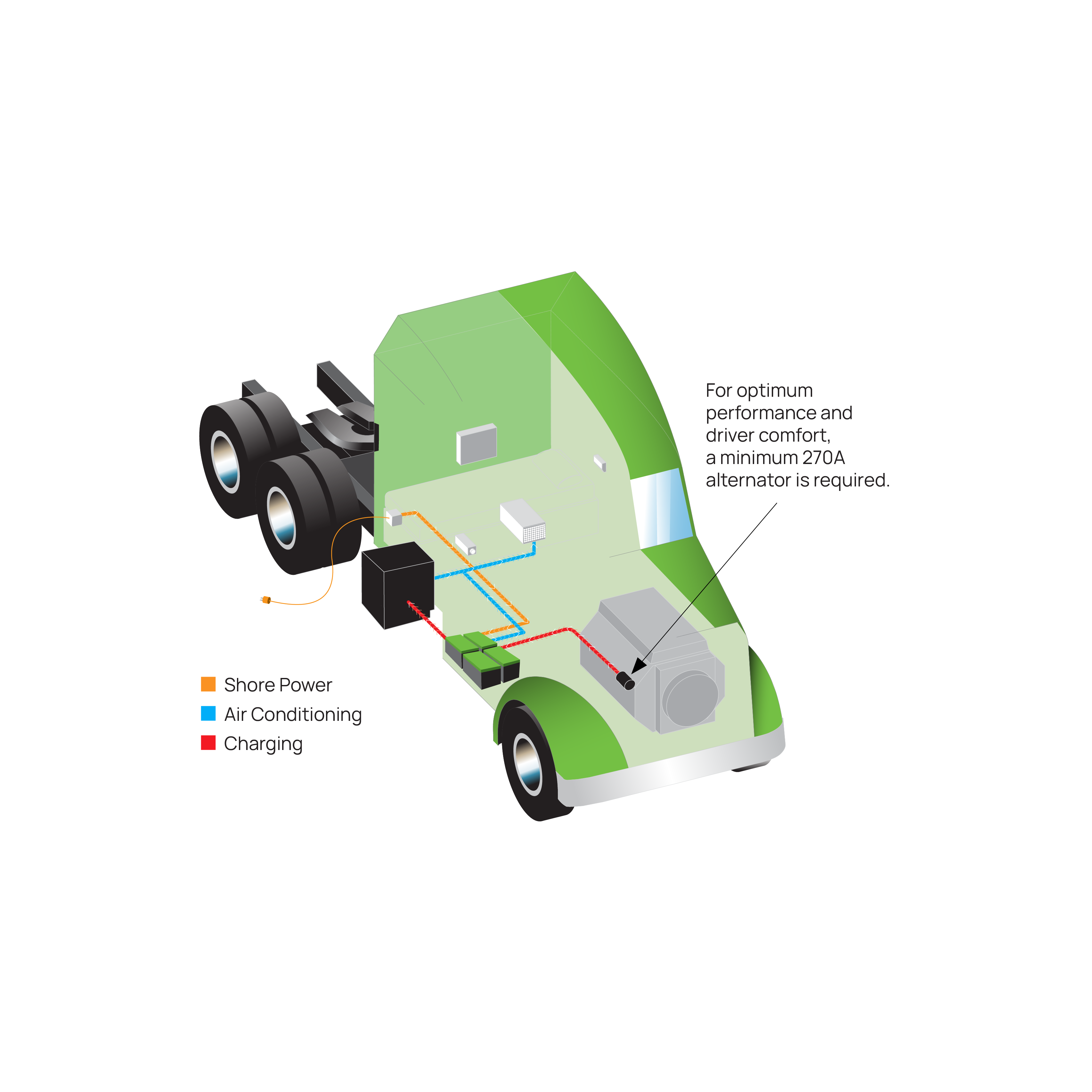
Diagram of the Envidia 2 system showing air conditioning, charging, optional shore power and the tractor alternator

Inside the Envidia 2 system

See how electric
comfort works.

The battery box powers the sleeper air-conditioning system while the truck is parked. The tractor alternator recharges the system while driving, and available shore power can charge the truck and APU batteries when plugged in.

Thermo King specifies a minimum 270-amp tractor alternator for the system. Your sales team can help review your truck’s charging setup and available options.

TriPac 3 configurations

The right setup for
where you run.

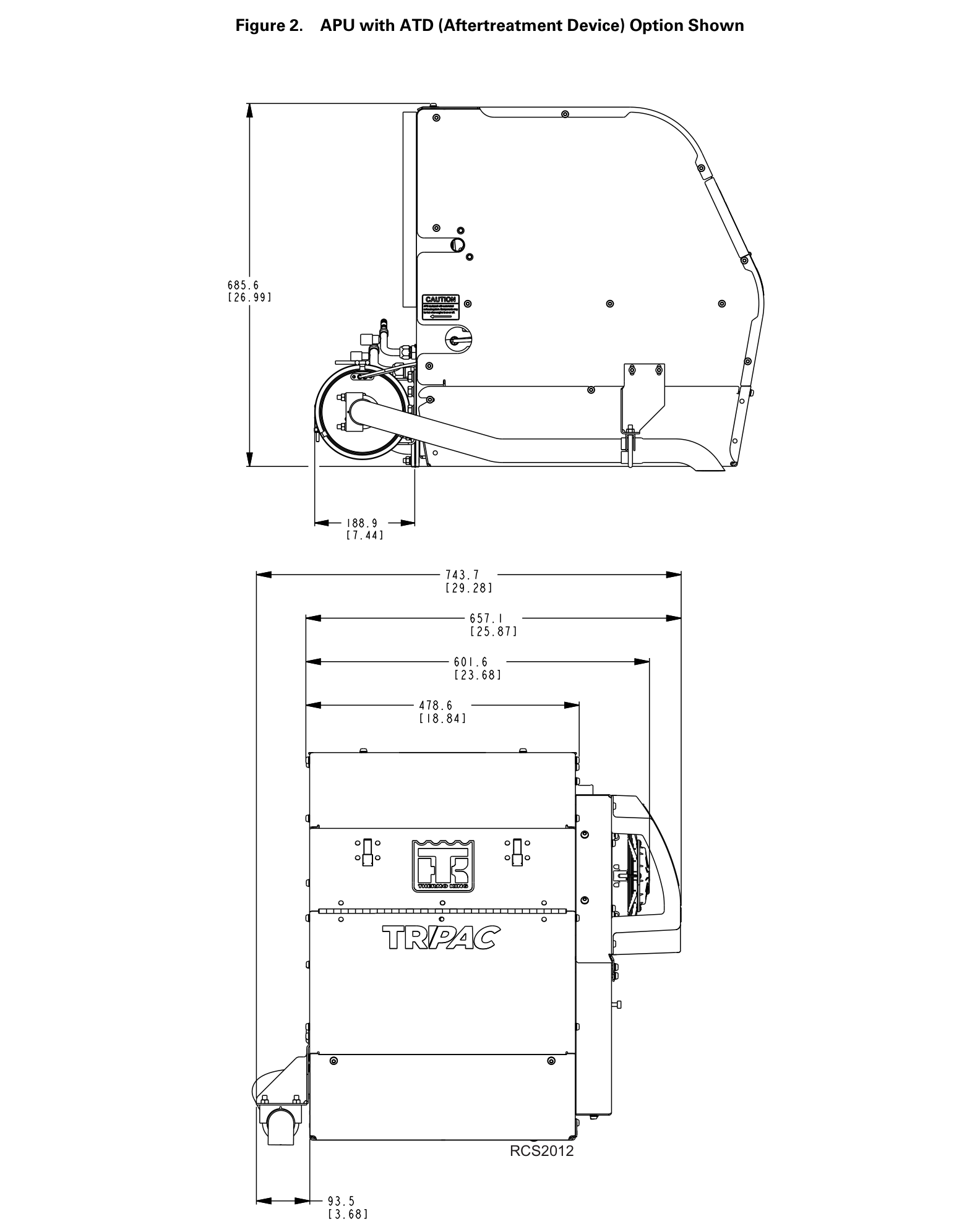
Thermo King offers a standard TriPac 3 and a model with an aftertreatment device (ATD). The ATD adds emissions-control equipment and changes the installation package.

Standard modelThermo King describes this as a 49-state, EPA Tier 4 solution for aftermarket installations.
With ATDThermo King describes this as a 50-state solution for qualifying new OEM or aftermarket installations.

Tell us where the truck operates and how it will be installed so we can help confirm the appropriate configuration.

Compare the installation drawings →
Thermo King TriPac 3 APU with aftertreatment device, shown in front and side dimension drawings
TriPac 3 with aftertreatment device

Watch & learn

Get to know
TriPac 3.

See the system, explore its features and understand the available aftertreatment device in these videos from Thermo King.

See how it works · 2:45

TriPac 3 system overview

Explore the features of the TriPac 3 in Thermo King’s animated system walkthrough.

Meet TriPac 3 · 1:18

Introducing TriPac 3

A quick introduction to the third-generation APU.

Explore the ATD · 2:39

Aftertreatment explained

Learn about the optional aftertreatment device for TriPac 3.

At the driver’s fingertips

Comfort, under
your control.

The controls are typically mounted in the sleeper, where the driver can adjust comfort without leaving the bunk.

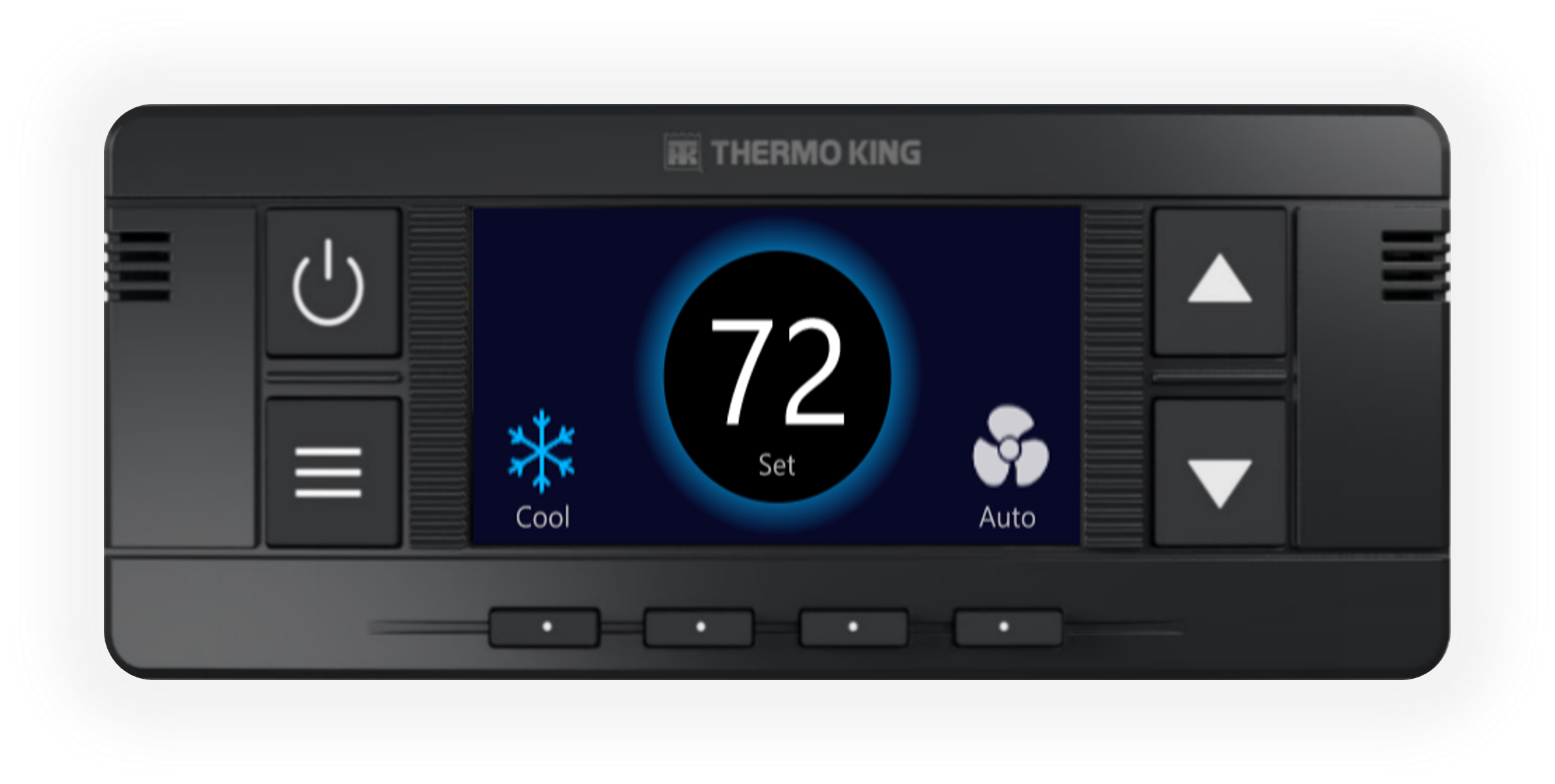
TriPac 3 digital in-cab controller with color temperature display and tactile buttons

TriPac 3

Color display. Clear information.

The digital controller shows temperature and operating information with color icons, plain-language readouts and tactile buttons.

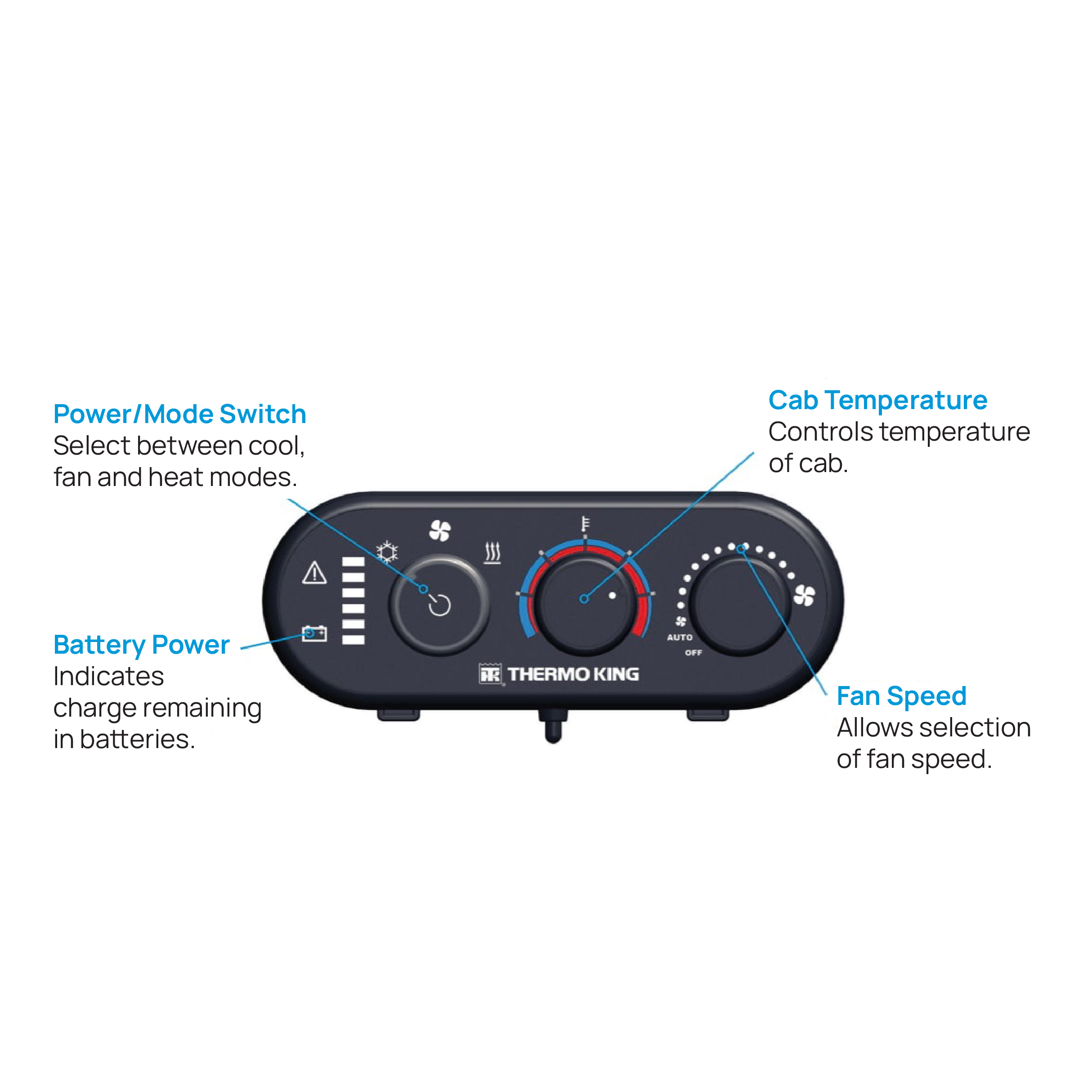
Envidia 2 controller diagram identifying the power and mode switch, battery indicator, cabin temperature and fan speed

TriPac Envidia 2

Simple, hands-on controls.

Choose the operating mode, adjust cabin temperature and fan speed, and check the battery indicator from the sleeper.

Enlarge controller diagram ↗

Make it yours

Built around the way
your drivers live.

A better installation starts with the details. Choose the comfort, charging and mounting options that make sense for your truck.

Driver resting in a sleeper cab with an APU air outlet

Driver comfort

Bring comfort
into the bunk.

An APU helps make time off the road more comfortable. The Air Tower directs cooled air higher into the sleeper; a backflow preventer helps keep conditioned air moving into the cab through the truck’s ducting.

Explore the Air Tower View the backflow kit
POWER

Pure sine wave inverters

Run compatible electronics and appliances from battery power. TriPac 3 offers a 2,000-watt inverter; Envidia 2 lists a 1,000-watt option. Consider the devices and total power your driver uses.

View inverter flyer
HEAT

Standard or high-output heat

Choose 7,500 BTU/hr standard heat or the available 13,600 BTU/hr high-output heater for colder routes. Envidia’s heater is optional and fuel-fired, even though its cooling system is battery-powered.

CHARGING

Shore power, solar & batteries

Available shore power can charge both Envidia and tractor batteries. ThermoLite solar helps support charging, and an additional set of four NXT batteries is available for the tractor.

Explore solar payback →
AIRFLOW

Backflow preventer

A damper helps reduce air lost back through the truck’s OEM HVAC system when an APU uses its ducting. Ask us whether the kit suits your truck and installation.

See the kit brochure
CONNECTED

TracKing telematics

TracKing is standard on TriPac 3, with 24 months of complimentary service according to Thermo King. See operating hours, cabin temperature, alarms and maintenance reminders; ask about service thereafter.

Read about TracKing
INSTALLATION

Mounting & finishing options

Envidia offers direct mounting, direct mounting with a 1-inch spacer, or claw mounting with a 1-inch spacer, plus a brushed stainless condenser cover. Exhaust and cold-weather or closed-loop options can also affect installation fit.


Explore component fit →

Options and compatibility vary by model, truck and installation. Your sales representative can help confirm the right configuration.

Plan it with confidence

From the first idea
to the right fit.

Build a guide for your truck, explore the potential economics, and see how the components fit together.

Configure your truck

TriPac 3 Installation Guide

Thermo King TriPac 3 diesel auxiliary power unit

Tell us about your truck, preferred options and installation needs to create a personalized configuration guide.

Start TriPac Guide

Know your investment

TriPac Payback Calculator

Thermo King TriPac 3 diesel auxiliary power unit

Compare your estimated idling costs with a diesel TriPac using your own operating assumptions.

Calculate Payback

Add solar charging

ThermoLite Solar Payback

Thermo King TriPac 3 diesel auxiliary power unit

Explore estimated fuel and operating savings when solar supports a diesel TriPac.

Calculate Solar Payback

Make room for comfort

Component Dimensions & Fit

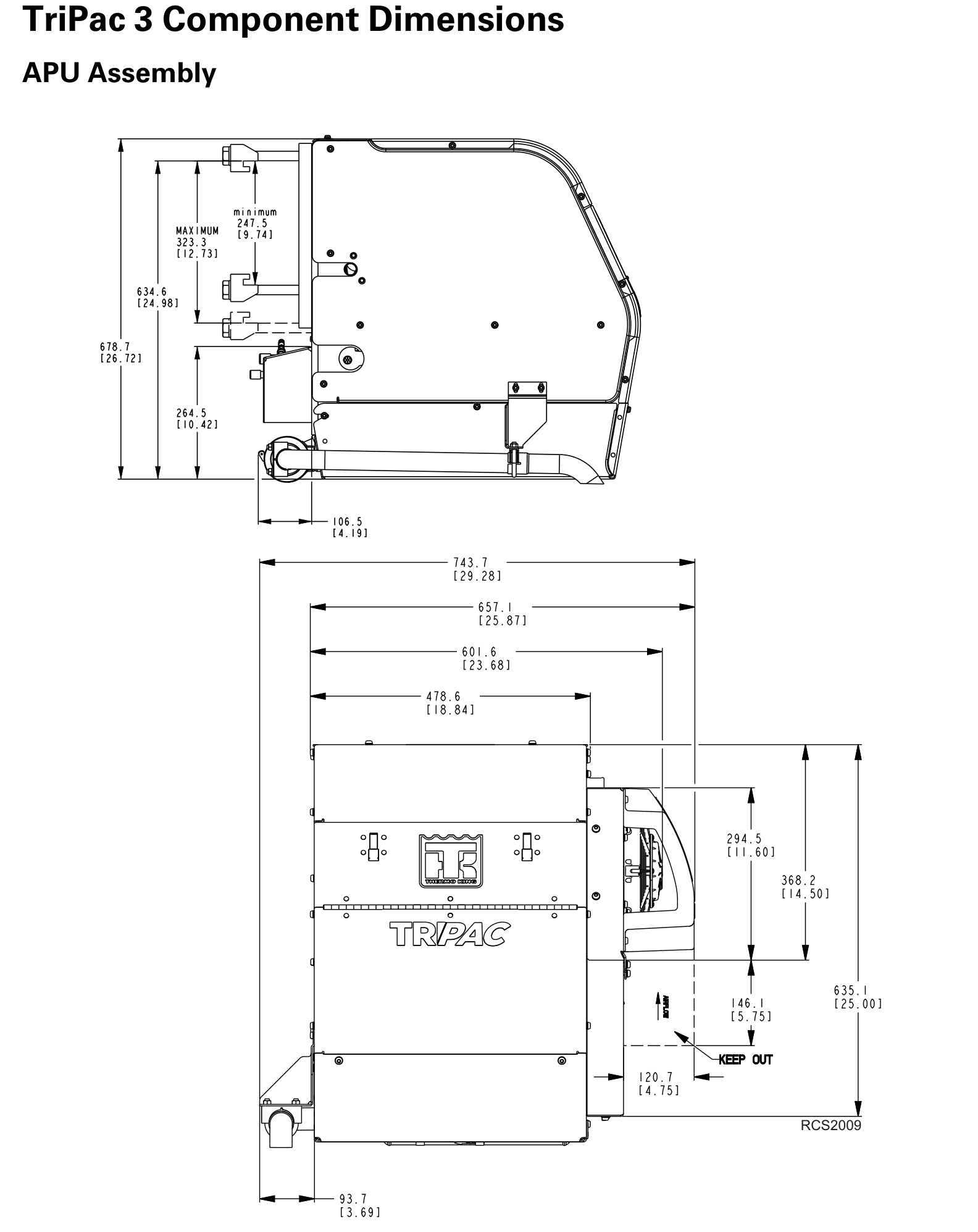
Thermo King TriPac 3 APU assembly dimension drawing with front and side views and mounting measurements

See where each component goes and explore the actual TriPac 3 and Envidia 2 drawings.

Explore Dimensions

Brochures, specs & guides

The details are
right here.

Choose a document to read it on this page, or download it for later. Browse the complete Publications library.

Let’s talk about your truck

Make the next stop
a better one.

Tell us where you run and what your drivers need. Our team can help you select your TriPac, options and installation.

Meet our sales team →
Component drawing
TriPac component diagram

Scroll or swipe in any direction to inspect the illustration.