Find your equipment
View unit locations, monitor movement and use geofence notifications to know when assets enter or leave an area.

Thermo King telematics
Keep an eye on your Thermo King equipment, cargo temperatures and alarms while your fleet is on the road.
Already use TracKing? Sign in ↗
More than a dot on a map
TracKing brings equipment and trip information together so your team can see what needs attention and respond sooner.
View unit locations, monitor movement and use geofence notifications to know when assets enter or leave an area.
See the setpoint and available temperature readings. Review temperature history to help document load conditions.
Receive notifications and review unit alarms so your team can investigate a problem while the load is in transit.
Review available fuel, operating and maintenance information to spot patterns and help plan service.
Available data depends on your unit, sensors, connection and subscription. A setpoint is the target temperature; a sensor reading shows the temperature measured at its location.
See the information
Dashboards and historical reports help you review the way your equipment is operating and decide where to focus.
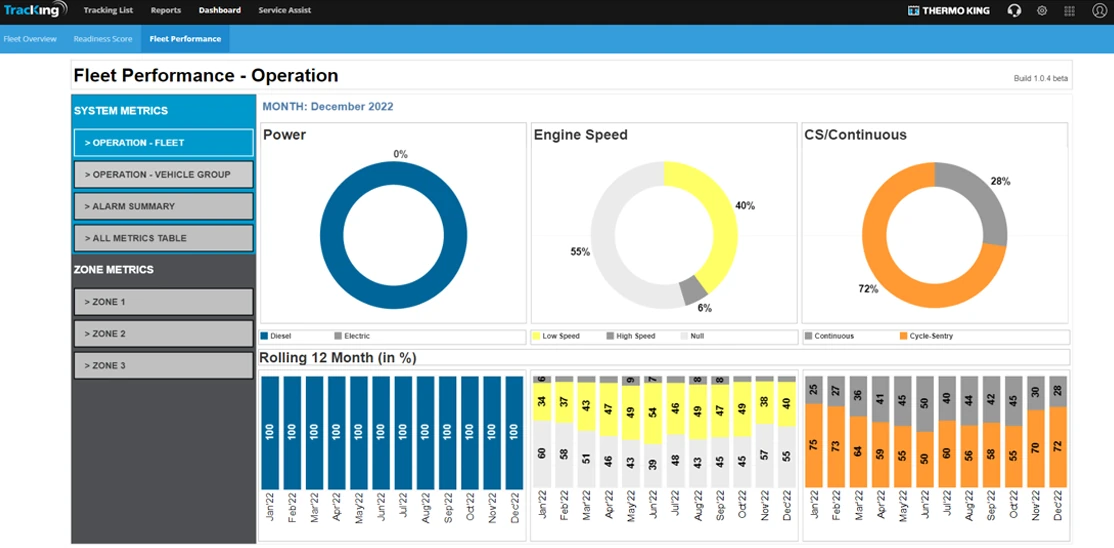
Fleet performance
Review available fleet and unit information, including operating modes and alarm summaries.
View larger image ↗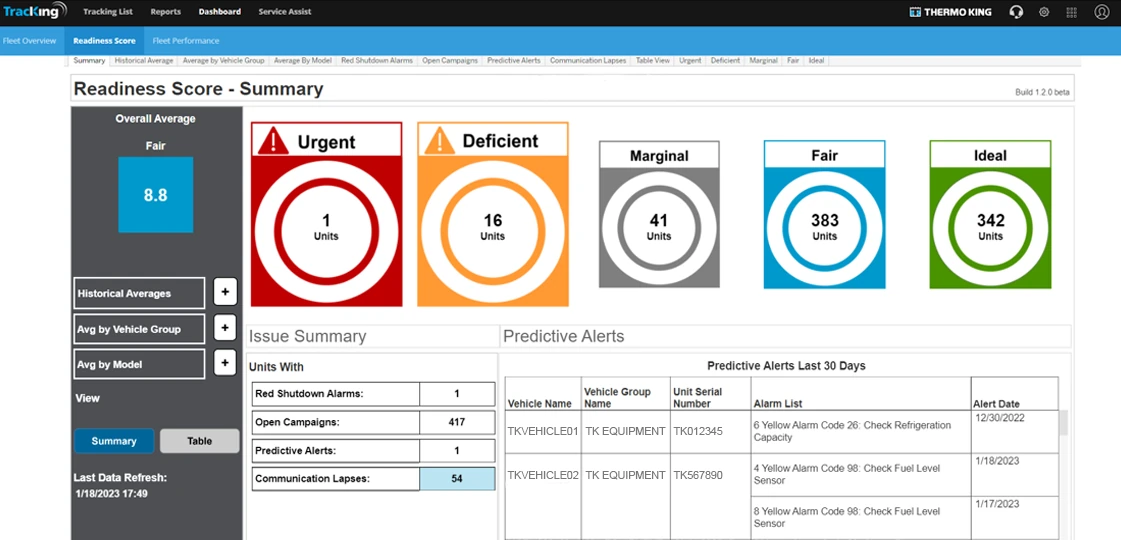
Readiness score
See a fleet-level view of available alarms, communication issues and readiness information.
View larger image ↗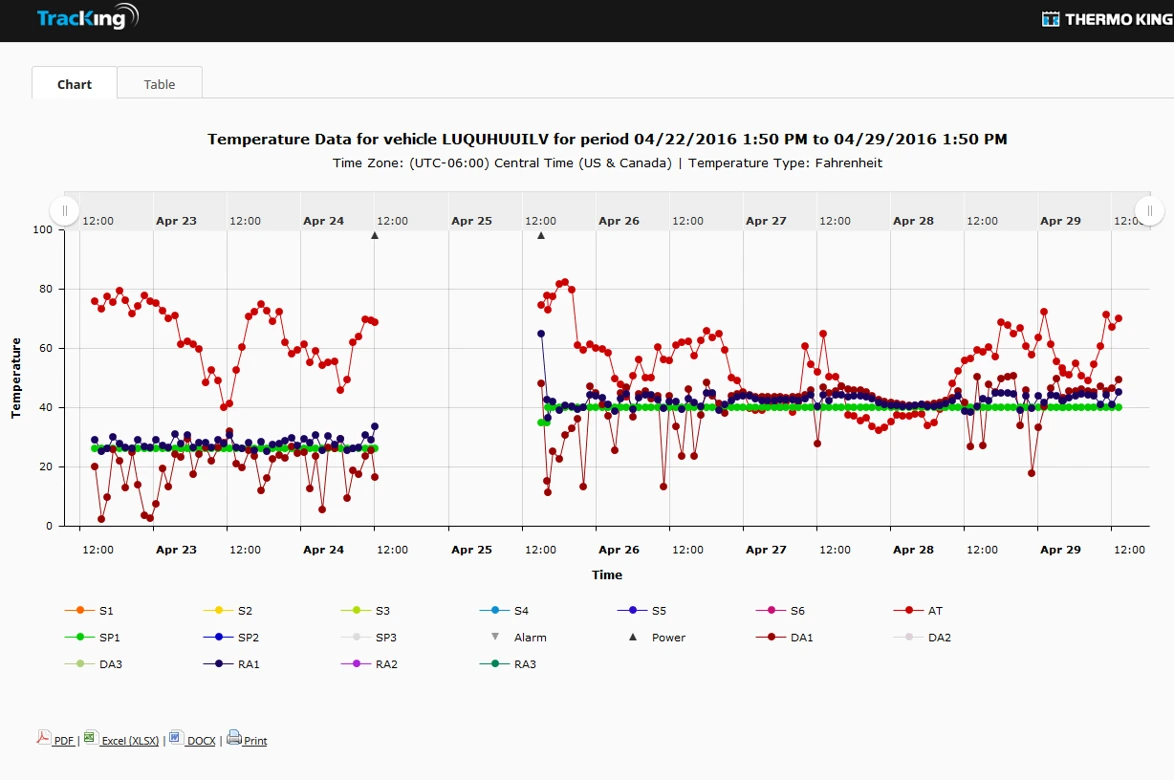
Temperature history
Review recorded temperatures and events to help document what happened during a trip.
View larger image ↗These are example screens, including a historical temperature graph. Current displays and available information depend on equipment and service level.
Find your fit
Start with monitoring, add remote control and diagnostics, or step up to Pro for deeper insights.
Find a starting point
Choose every capability that matters to your fleet. We’ll highlight a service level to discuss with our team.
A starting point, not a quote or a compatibility check.
Start with location, temperature, geofences and alarm notifications.
Discuss your equipment| Capability | Track & Trace | Remote Control | Diagnostics | TracKing Pro |
|---|---|---|---|---|
| Location, temperature, geofences & alarms | Included | Included | Included | Included |
| Remote on/off & setpoint changes | — | Included | Included | Included |
| Diagnostics downloads | — | — | Included | Included |
| Energy & benchmark dashboards | — | — | — | Available* |
| Predictive alerts & alarm triage | — | — | — | Available* |
Location, temperature, geofences and alarm notifications.
Track & Trace plus supported remote on/off and setpoint changes.
Remote Control plus diagnostics downloads.
Diagnostics plus available energy and benchmark dashboards, predictive alerts and alarm triage.*
*Pro features are available on eligible equipment. Remote commands, sensors, data and subscriptions vary by unit and service level. Ask us to confirm the right package for your fleet.
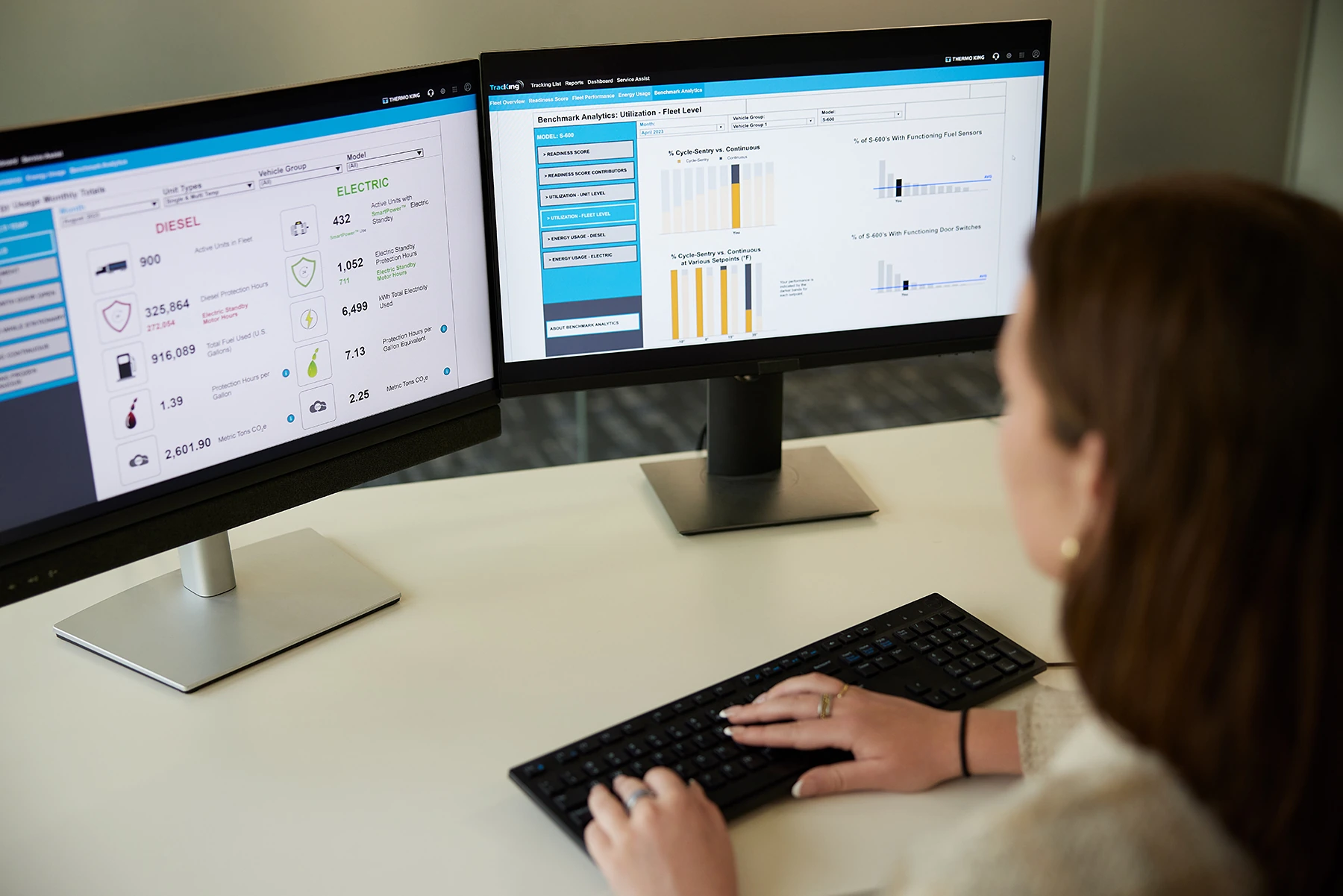
TracKing Pro
See where energy is being used, compare fleet performance and get more context when a unit needs attention.
The energy dashboard is for Precedent units; benchmark analytics are for large truck and trailer units. Predictive alerts and alarm triage are available on eligible trailer equipment. Confirm your unit and subscription with us.
Thermo King Connect app
Use the Thermo King Connect app to access available unit information and support from your phone.
The app is free to download. Some features require a TracKing login, compatible equipment, permissions and an active service plan.
Already on many new units
Thermo King includes a 24-month TracKing subscription with new trailer, large truck and APU units. We can help you activate the service, check your available plan and understand renewal or upgrade options.
Have equipment already in your fleet? Ask us to check the controller, hardware and available retrofit options for your model.
Talk through your equipmentof TracKing telematics
Watch and learn
Explore ConnectedSuite and the tools that bring unit information to your team.
See the Thermo King integration for the Platform Science in-cab system.
Open on YouTube ↗Product literature
Choose a brochure to read it on this page or download it. Find more in our Publications library.
Select a document to open the viewer.
The 2020 ConnectedSuite brochure references earlier mobile apps. Thermo King Connect is the current app.
Read product literature without leaving this page.
Select a document to begin.
Common questions
TracKing service levels provide monitoring and, depending on the plan, remote control and diagnostic downloads. Pro adds available energy and benchmark dashboards, predictive alerts and alarm triage for eligible equipment.
The Thermo King Connect app supports two-way commands on compatible equipment. Your account permissions and service level determine which commands are available.
Some existing units can be connected or upgraded. The right hardware and options depend on the unit and controller. Our team can review the equipment in your fleet.
Those readings depend on the unit and whether the necessary sensors and equipment are installed and connected.
Let’s get your fleet connected
Tell us what you operate and what you need to see. We’ll help you choose a starting point.